
The Ultimate Guide to IPTV: Everything You Need to Know in 2025
The Ultimate Guide to IPTV: Everything You Need to Know in 2025
The Ultimate Guide to IPTV: Everything You Need to Know in 2025
Everything from "what is IPTV?" to setup, devices, legal safety, VPN tips, and next-level streaming best practices — updated for 2025.
View Packages & PlansWhat is IPTV (quick primer)
IPTV — Internet Protocol Television — delivers live TV and video-on-demand using your internet connection rather than traditional terrestrial, satellite, or cable formats. In 2025 IPTV has matured: many legal providers now offer high-quality HD & 4K streams, integrated VOD libraries, and apps for Smart TVs, Fire TV, Android TV, and phones.
How IPTV works (in simple steps)
- Content acquisition — provider aggregates licensed channels and VOD content.
- Encoding & packaging — streams are encoded for efficient delivery (H.264/H.265) and packaged in playlists (M3U, JSON APIs).
- Delivery — video is delivered over the internet using CDNs and streaming servers.
- Playback — client apps or set-top boxes decode and play the content for the end user.
Legal & safety notes you must know (don’t skip)
By 2025 the legal landscape continues to tighten in many countries. The core rule: use licensed, reputable providers. Illegal or “too cheap to be true” IPTV services often redistribute copyrighted channels without permission — and using them can expose you to legal risk and cybersecurity threats (malware, data theft).
Pro tip: Always check a provider’s licensing details, user reviews, and official partnerships before subscribing.
Protecting your privacy and security
Even with legal services, it’s smart to take security steps:
- Keep apps and devices updated to patch security vulnerabilities.
- Use a trustworthy VPN if you want privacy or need to access content securely — pick one with AES-256 or modern WireGuard-based encryption.
- Never install APKs or firmware from untrusted sources.
Top devices & apps for IPTV in 2025
IPTV works across many platforms. The common, reliable options in 2025 are:
- Smart TVs: Samsung Tizen & LG webOS (native or via companion apps).
- Android TV / Google TV: Broad app support (Smarters, Tivimate, native provider apps).
- Fire TV / Firestick: Popular for casual users — many IPTV apps available.
- Android TV boxes & MAG boxes: Powerful and flexible for enthusiasts.
- Mobile & Desktop: iOS/Android apps, Windows or macOS web players or apps.
Choose the platform that matches your comfort level: Smart TVs for plug-and-play simplicity, boxes for advanced features and multi-stream support.
How to pick the right IPTV provider
When comparing providers, evaluate these criteria:
- Legitimacy: Licensing and transparency.
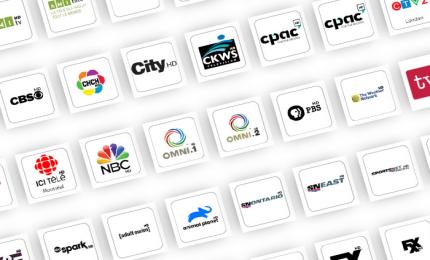
- Channel lineup: Does it include local channels and language options you need?
- Stream quality: HD & 4K support, low buffering.
- Device support: Apps for your devices and simultaneous streams allowed.
- Support & uptime: 24/7 support and good uptime history.
Also check trial offers or money-back guarantees so you can test speed and reliability on your home network.
Step-by-step: Setting up IPTV (basic flow)
Install time is usually under 10–20 minutes on most devices. Generic flow:
- Create an account with a reputable provider and pick a plan.
- Receive login (username + password) or an M3U/portal URL from the provider.
- Install a recommended IPTV app (Smarters, Tivimate, provider app, or built-in app).
- Enter credentials or paste the M3U/portal link.
- Test channels and quality; tweak player settings (buffer size, H/W decode).
If you’re on a MAG box or specialized device, follow the device-specific MAC-based setup from your provider’s tutorial.
Troubleshooting common IPTV problems
- Buffering: Check home bandwidth, use wired Ethernet if possible, enable adaptive bitrate if app supports it.
- Channels missing: Re-import playlist or contact provider for updated URL.
- Playback errors: Update app/firmware or switch video decoder (software vs hardware).
- Account issues: Verify simultaneous connection limits — many providers limit concurrent streams per plan.
Advanced tips & future trends (2025+)
The industry continues evolving: expect better CDN-backed delivery, lower-latency sports streams, wider 4K adoption, and more hybrid OTT + IPTV bundles. Watch for features like cloud DVR, personalized recommendations, and improved app UIs. Also: post-quantum resistant encryption is starting to appear in premium VPNs — something privacy-conscious streamers will care about soon.
SEO keywords & backlink strategy for IPTV content
If you run an IPTV site or blog, use keyword clusters rather than one keyword per page:
- Primary keywords: iptv 2025, what is iptv, best iptv
- Local keywords: iptv montreal, iptv quebec, iptv canada
- Long-tail keywords: how to setup iptv on firestick 2025, legal iptv providers canada
Backlink suggestions: link to authoritative resources (regulatory pages or security guides) and practical setup guides. For example, link your help pages to reputable VPN comparison pages and device setup tutorials to build trust and authority.
Suggested backlinks (examples):
- Your packages page (internal)
- Authoritative explanation of IPTV — (use a respected tech blog)
- VPN security guide — (trusted VPN review or privacy site)
Final checklist before you subscribe
- Confirm provider licensing & reviews.
- Test network speed (min 15–25 Mbps for HD; 50+ Mbps for multiple 4K streams).
- Confirm supported devices and simultaneous streams.
- Check refund policy and trial period.
- Use a secure VPN if privacy or geo-unblocking is needed.
Share This
Recent Post